
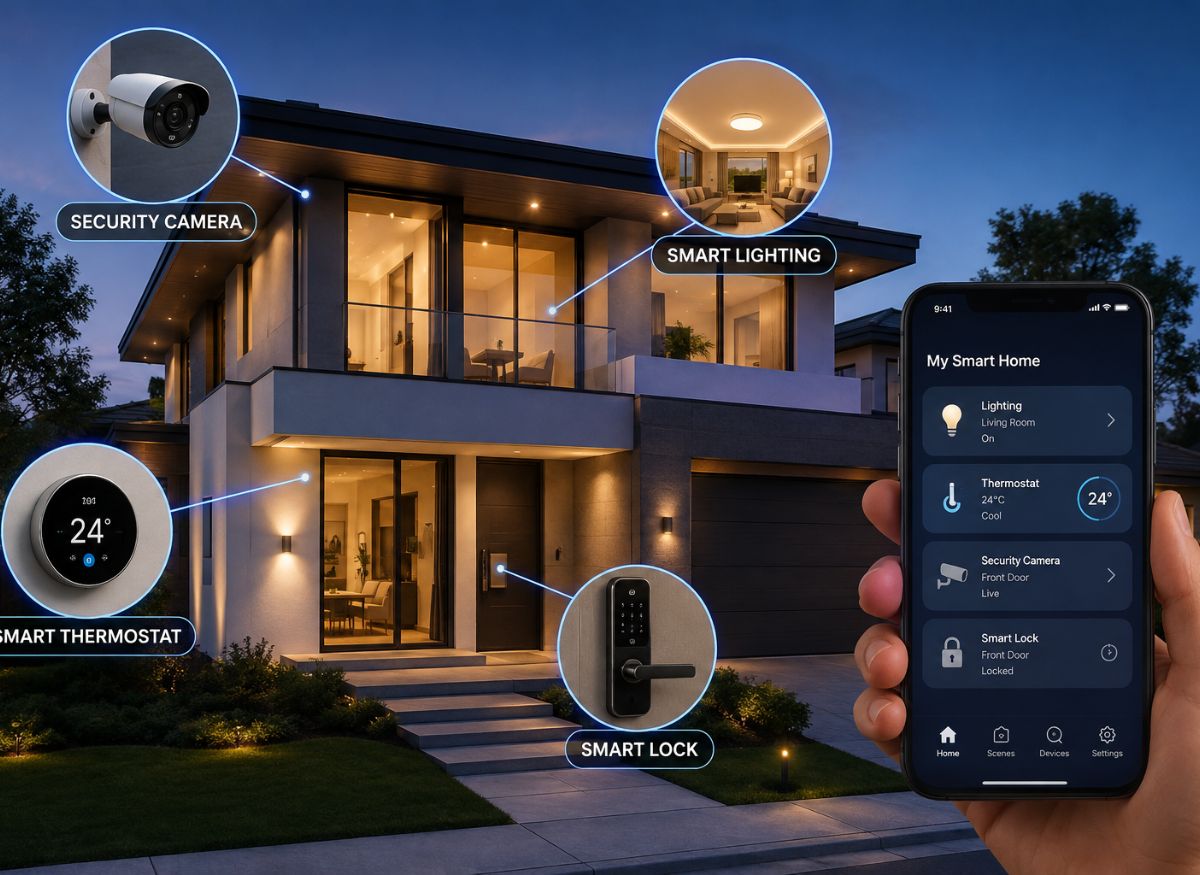
Modern technology has transformed the way homeowners control and manage their living spaces.. Smart Home Automation Devices make it easier to control lights, security, temperature, entertainment, and appliances through apps, voice commands, schedules, or automatic triggers.
With so many choices on the market, finding the right products can be challenging. This guide explains how smart home systems work, their main benefits, common mistakes, and practical tips for creating a connected home.
What Are Smart Home Automation Devices?
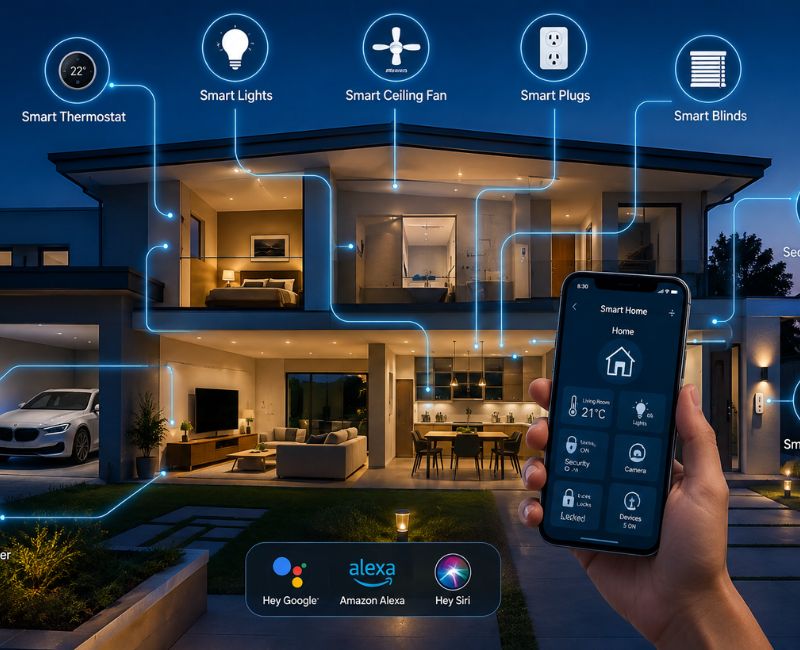
Smart Home Automation Devices are connected electronic products that can be controlled remotely or programmed to perform specific actions automatically. They connect using technologies such as Wi-Fi, Bluetooth, Zigbee, Z Wave, Matter, and other compatible wireless protocols.
For example, a smart light can follow a schedule, a smart lock can provide keyless access, and a motion sensor can trigger lights when someone enters a room. These products can work individually or together as part of a larger home automation system.
How Connected Home Technology Works
A connected device usually communicates with a smartphone, hub, voice assistant, or another compatible device. After setup, users can control it through an application, voice command, physical control, or programmed routine.
For example, you could create a bedtime routine that switches off selected lights, adjusts the thermostat, locks compatible doors, and activates security sensors.
Some systems also respond to conditions automatically. A motion sensor might turn on hallway lighting when movement is detected, while a smart thermostat can adjust the temperature according to a preset schedule.
Popular Categories of Smart Devices
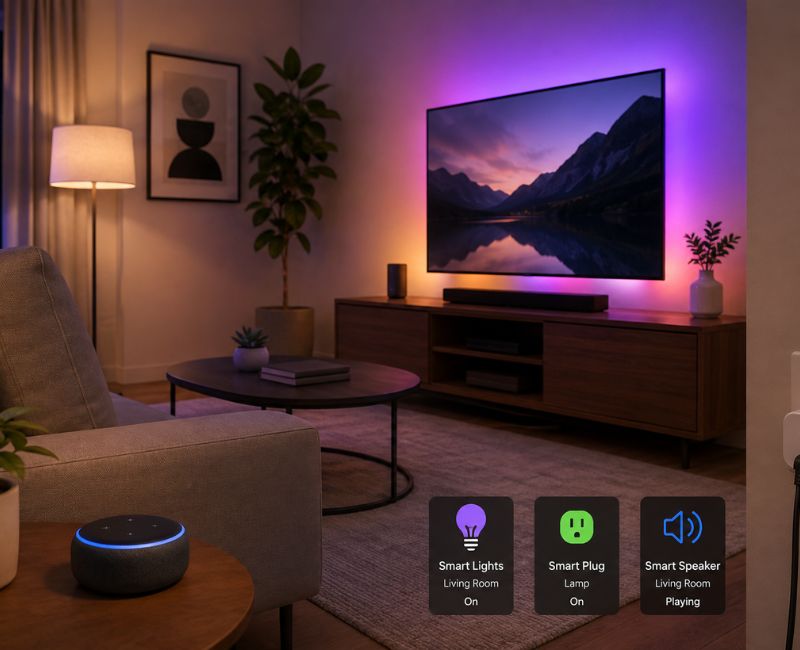
Modern homes can use many types of connected technology, including:
- Smart bulbs
- Smart switches
- Smart plugs
- Smart thermostats
- Smart door locks
- Video doorbells
- Security cameras
- Motion sensors
- Door and window sensors
- Smart speakers
- Smart displays
- Robot vacuum cleaners
- Smart appliances
- Smart blinds
- Smart smoke detectors
You do not need all of these products. The best setup depends on your home’s size, your budget, your daily routine, and the problems you want to solve.
Benefits of Smart Home Automation
The right Smart Home Automation Devices can provide more than remote control. When properly configured, they can improve convenience, security, comfort, and household management.
Make Daily Tasks Easier
Automation can remove many small tasks from your daily routine for Smart Home Automation Devices. Instead of manually controlling several devices, you can create a routine that performs multiple actions at once.
For example, an evening routine could lower compatible blinds, dim the lights, and adjust the temperature. A morning routine could gradually increase lighting and change the thermostat setting.
These small conveniences can make a noticeable difference over time. For more practical ways to improve and maintain your home, check out our guide to [Dr Homey Tips].
Improve Home Security
Security is one of the most useful applications of connected technology. Cameras, doorbells, locks, and sensors can help homeowners monitor important areas of their property.
A video doorbell can show who is at the entrance, while a door sensor can send an alert when a door opens. A compatible smart lock can also provide keyless entry and temporary access for approved people.
Still, connected security products should not replace basic safety measures. Use strong passwords, install software updates, and activate two-factor authentication when available.
Support Better Energy Management
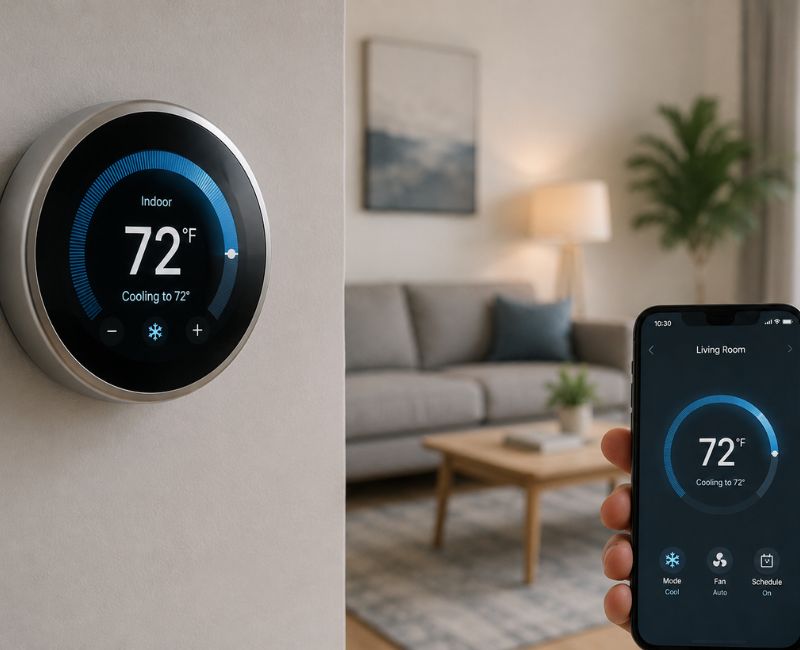
Some smart products can help homeowners control how and when energy-consuming equipment operates.
For example, a programmable thermostat can adjust heating or cooling according to your schedule. Smart lighting can switch off automatically when rooms are empty, while smart plugs can help manage selected appliances.
Actual energy savings depend on your equipment, habits, climate, and settings. Automation works best when it helps prevent unnecessary energy use.
How to Choose the Right Devices
Before buying Smart Home Automation Devices, think about compatibility, security, installation, and long term usability. If you need professional help choosing or installing a system, you can also explore our guide to finding a [Smart Home Automation Company Near Me].
Check Compatibility
Not every smart product works with every platform. Buying devices without checking compatibility can leave you managing several separate applications.
Before purchasing, check which ecosystem the product supports. Also consider standards such as Matter if they fit your planned setup for a best Smart Home Automation Devices.
A compatible system makes it easier to create routines and control multiple products from fewer interfaces.
Identify Your Main Goal for Smart Home Automation Devices
Do not start by buying products simply because they look interesting. First decide what you want your smart home to accomplish.
For example:
- For security, consider cameras, sensors, locks, or a video doorbell.
- For convenience, consider smart lighting and plugs.
- For temperature control, consider a compatible smart thermostat.
- For energy management, consider smart plugs and automated lighting.
- For entertainment, consider smart speakers or displays.
Starting with one clear goal can prevent unnecessary spending.
Think About Privacy
Connected devices can process information about your home and activities. Therefore, privacy should be part of your buying decision.
Read the manufacturer’s privacy information and understand what data the product collects. Use strong, unique passwords and keep firmware updated.
You should also secure your home Wi-Fi network. If possible, consider separating smart devices from computers and other sensitive equipment through appropriate network settings.
Building a Smart Home Step by Step
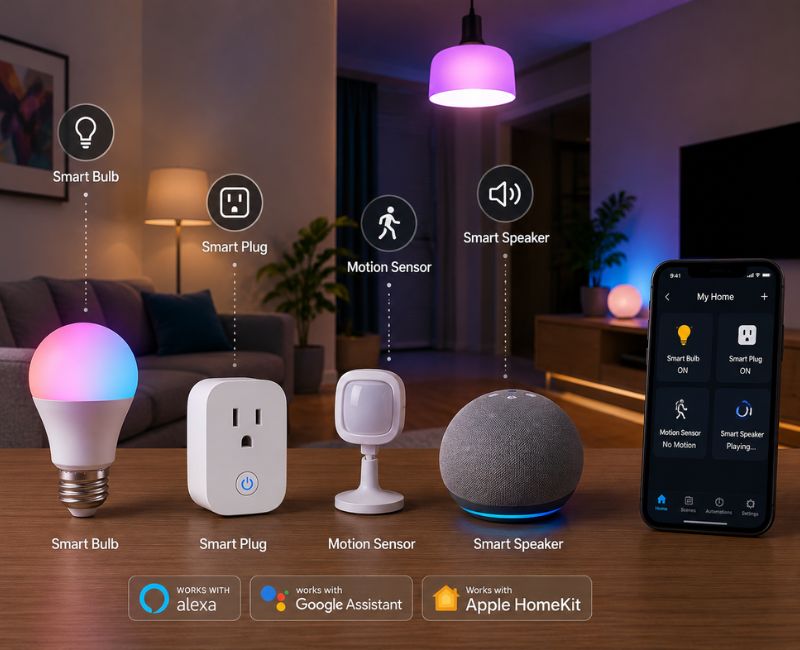
You do not need to automate your entire property immediately. A gradual approach can make installation easier and reduce compatibility problems.
Start With Simple Products
For beginners, simple products such as smart bulbs, plugs, and motion sensors can be a good introduction to automation for Smart Home Automation Devices.
A basic starter setup might include:
- Smart bulbs in frequently used rooms.
- A smart plug for one suitable appliance.
- A motion sensor near an entrance.
- A compatible smart speaker.
- One or two simple automation routines.
Once you understand how the system works, you can add more advanced equipment.
Create Useful Routines
The real value of Smart Home Automation Devices comes from connecting individual products into useful routines.
Consider these examples:
Good Morning: Turn on selected lights and adjust the thermostat according to your morning schedule.
Leaving Home: Switch off selected lights, turn off suitable appliances, lock compatible doors, and activate security equipment.
Movie Time: Dim compatible lights and close automated blinds.
Bedtime: Turn off unnecessary lighting, adjust the temperature, and secure selected entry points.
Keep routines simple. If an automation has too many conditions, it may become harder to troubleshoot.
Mistakes to Avoid
Buying Too Many Products
A common mistake is purchasing several devices before deciding how they will work together.
Create a basic plan first. List the products you already own, identify the platform you prefer, and then choose additions that fit the same system.
This approach can reduce unnecessary costs and simplify future upgrades.
Ignoring Network Performance
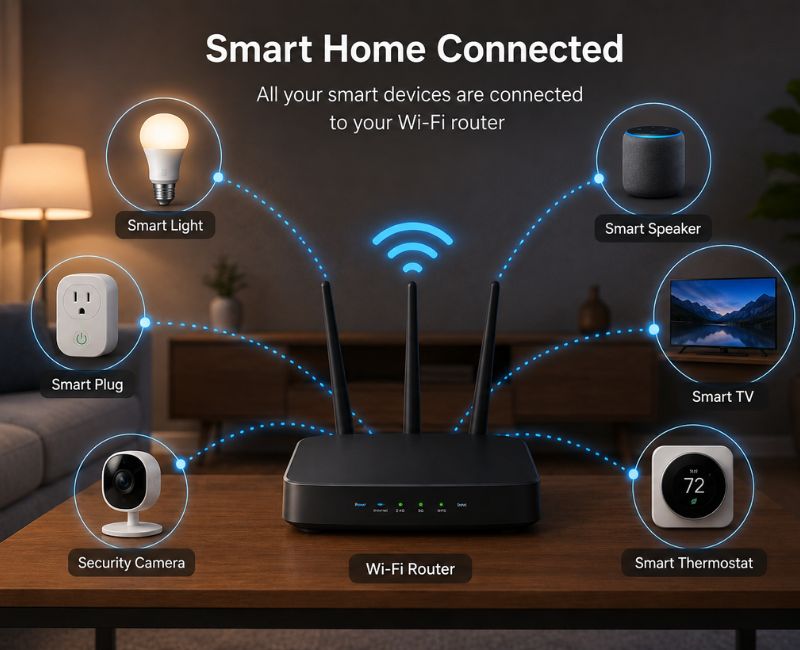
Your connected home depends on reliable communication. A weak Wi-Fi signal can cause delayed commands, disconnected products, and unreliable automation.
If you plan to connect many products, check your home’s network coverage. A better router, additional access point, or suitable mesh system may improve reliability.
Making Automation Too Complicated
Automation should save time rather than create more work.
For example, a light that turns on every time someone moves nearby may become frustrating if the sensor is too sensitive. Adjust detection areas, schedules, and timing until the automation matches your actual routine.
Best Smart Devices for Different Needs
For Beginners
If you are new to home automation, choose products that are simple to install and easy to control.
Smart bulbs, plugs, and basic sensors can provide useful automation without requiring major changes to your home.
They also help you learn how schedules, routines, voice commands, and device integrations work.
For Home Security
Security focused homeowners can combine several types of technology. A suitable setup may include a video doorbell, security cameras, door sensors, window sensors, and a compatible smart lock.
However, privacy and local regulations should always be considered when using cameras or monitoring equipment.
For Energy Management
Smart thermostats, lighting controls, plugs, and automated blinds can help manage household energy use.
The goal should not simply be to own more technology. Instead, use automation to reduce unnecessary heating, cooling, lighting, and appliance operation.
Expert Tips for Better Home Automation
Choosing Smart Home Automation Devices is only the first step. Proper planning and configuration can make the entire system more reliable.
Keep these tips in mind:
- Choose reputable manufacturers.
- Check compatibility before purchasing.
- Keep device software updated.
- Use strong passwords.
- Enable two-factor authentication where supported.
- Improve Wi-Fi coverage when necessary.
- Start with a small number of devices.
- Create simple automation routines.
- Review your privacy settings.
- Replace or remove devices you no longer use.
It is also useful to label devices clearly in your smart home application. Names such as “Living Room Lamp” or “Front Door Lock” make voice commands and automation rules easier to manage.
Comparing Different Smart Home Options
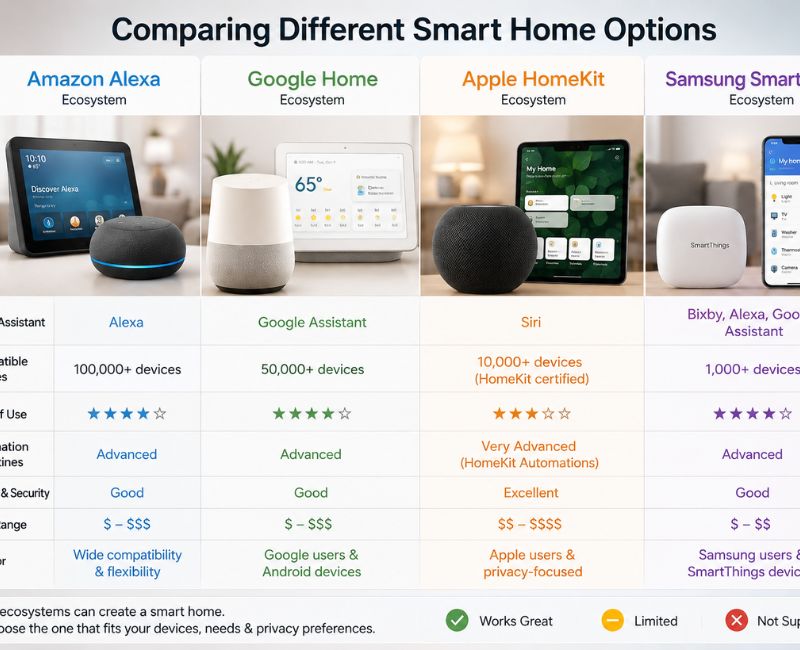
Not every home needs the same automation system. A small apartment may only need lighting, plugs, and a doorbell, while a large house may benefit from security sensors, climate control, automated blinds, and multiple lighting zones.
Wireless devices are generally easier to install, while wired solutions can offer a more permanent approach in suitable homes. The right choice depends on your property, budget, technical requirements, and future plans.
Before expanding your setup, think about whether the new device solves a genuine problem. Good automation should feel helpful and almost invisible rather than becoming another system you constantly need to manage.
Are Smart Devices Worth Buying?
For many homeowners, Smart Home Automation Devices are worthwhile when they provide a clear benefit.
A smart bulb may be useful if you regularly forget to turn lights off. A smart thermostat may be valuable if you want more control over temperature schedules. A video doorbell may help if you frequently need to monitor your front entrance.
The value depends on how well the device fits your lifestyle. Avoid buying products simply because they are popular.
Frequently Asked Questions
1. What are Smart Home Automation Devices?
They are connected products that allow homeowners to control or automate lighting, security, temperature, appliances, and other home functions.
2. Do smart home devices need Wi-Fi?
Not always. Some use Bluetooth, Zigbee, Z-Wave, or other technologies, although many systems use Wi-Fi for internet access.
3. Are smart home devices expensive?
Prices vary widely. You can start with affordable products such as smart bulbs and plugs and expand gradually.
4. Can smart devices improve security?
Yes. Cameras, doorbells, locks, and sensors can provide monitoring, alerts, and additional access controls.
5. Can smart devices reduce energy use?
They can help manage energy by automating lighting, temperature, and appliance schedules, although savings depend on usage.
6. What should I buy first?
Start with one clear need. Smart bulbs, smart plugs, sensors, or a compatible security device can be good starting points.
Conclusion
A smart home does not need expensive gadgets. Smart Home Automation Devices can improve security, comfort, lighting, and daily routines when chosen carefully.
Start with your main needs, choose compatible products, and protect your accounts and network. Build your system gradually and select devices that make everyday life easier..

Welcome to Cozy Escape Hub! I am Muhammad Hassaan, an AI Powered SEO and content writer with a 2 years of experience.
I help websites rank higher, grow traffic , and look amazing. My goal is to make SEO and web design simple and effective for everyone. Let’s achieve more together!